Long Post....
xAP Intranet applications have for many years been at the core of my Home network. xAPIntranet integrates multiple webservers, which can be on multiple hosts into one entity.
These hosts are windows based, and I know that there is a school of thought which says that windows is not suitable for Home Automation, which I understand, but for me xAPIntranet has always been about information first, any 'control' aspect being secondary or non critical
The principal applications in my intranet have been xAPSwitchboard which monitors my landline phone, xAPNews which collects my RSS news feeds into one place and xAPLibrary which collates my mainly pdf documents and manuals.
The xAPIntranet applications have a common header for each webserver which allows you to access the other webservers, and a "Groups" page which gives access to xAPintranet applications not in the "Home" Group as well. In addition there is a task bar based menu system called Intranet Launcher to allow easy access to each application as well
xAPIntranet Applications originate from James at mi4.biz (http://www.mi4.biz/modules.php?name=Content&pa=showpage&pid=39) and are based on the xAPIntranet ocx which I used to create some applications for myself. Some of these apps may no longer work, thinking about TV in particular, because the data it relied on has changed.
This integration is achieved by each app broadcasting a periodic 'Web.Service" message:-
xap-header
{
v=12
hop=1
uid=FF555600
Class=Web.Service
Source=netcomp.Library.black1
}
Server.Start
{
Name=Library
Desc=xAPIntranet Document Library
Group=Home
PC=BLACK1
Config=yes
ConfigURL=http://192.168.253.100:51002/config.xsp
Icon=http://192.168.253.100:51002/images/icon.gif
URL=http://192.168.253.100:51002/
}
For convenience, I wanted to integrate my Livebox and the xAPFlash GUI hosted on the Livebox into my xAPIntranet setup. This could not be full , two way, integration since this would require modification to the HAH Web server, but access to HAH and xAPFlash from xAPIntranet could be achieved relatively easily with a couple of plugboard scripts and some icons.
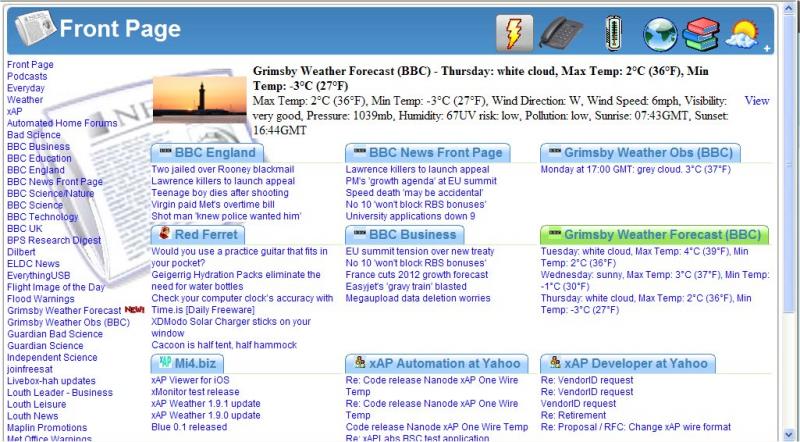
In this screendump is the front page of the News application with clickable icons for the different xAPIntranet application that are running in the blue banner on the right. These icons are specified in the web service message.
From left to right these are xAPFlash, xAPSwitchboard, QUasar K3145 connector, Intranet, Library and WDLive. These applications are all in the Home group ( see the home key= above), to access xAPIntranet applications in other groups click on the + sign and you get an icon based menu as shown below
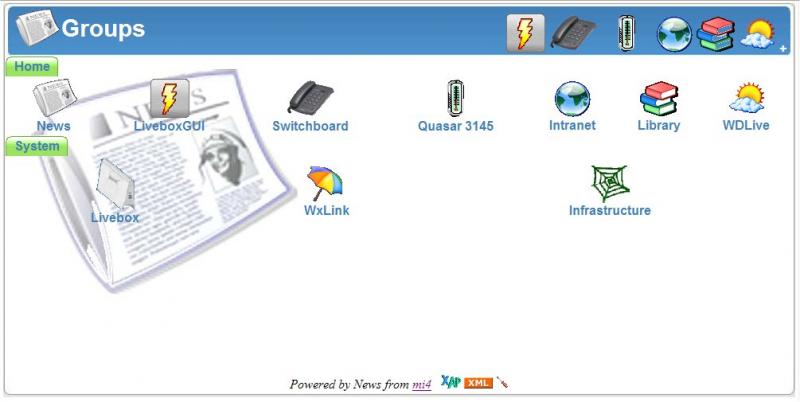
In the System group are the Livebox Web server, WXLink and another version of Intranet called Infrastructure. All full xAPIntarnet apps would have a page like this, but with diffrent background images.
To achieve this a Web.Service message is broadcast by two plugboard scripts once every 5 minutes
xap-header
{
uid=FF00D800
source=dbzoo.livebox.Plugboard
hop=1
class=Web.Service
v=12
}
server.start
{
config=no
name=LiveboxGUI
configurl=
group=hOME
url=http://192.168.253.5/flashgui.kl1
icon=http://192.168.253.5/live/xapflash.gif
desc=xAPFlash on HAH
}
and
xap-header
{
uid=FF00D800
source=dbzoo.livebox.Plugboard
hop=1
class=Web.Service
v=12
}
server.start
{
config=no
name=Livebox
configurl=
group=System
url=http://192.168.253.5/automation.kl1
icon=http://192.168.253.5/live/hahlogo.gif
desc=Livebox Home Automation Hub
}
I confess to being a little artisticaly challenged, I have filched and modifed the icons from the HAH, and dbzoo websites, you could use these or make up your own

In addition to the xAPIntranet web servers there is also a taskbar resident menu application called IntranetLauincher which recognises the web.service messages and produces a pop up menu for applications in the home group
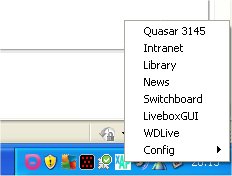
Easier to do than describe...
kevint


